How-to & growth / Artist systems
One vertical lyric video for YouTube Shorts, Instagram Reels, and TikTok
Build one clean 9:16 lyric-video master, then check length, caption placement, and interface collisions before each manual upload.
The short answer
Use a 9:16 master at 1080 by 1920 pixels and keep it at 3 minutes or less if the same file must qualify for YouTube Shorts and remain within Instagram's recommendation boundary. Treat 1080 by 1920 as an Artifex production recommendation, not a universal platform rule. Keep lyrics near the centre, then preview each upload because Shorts, Reels, and TikTok place interface controls in different areas.
Start with the shared canvas, not three separate edits
Artifex analysis recommends a 1080 by 1920 pixel master: it is 9:16, stays within YouTube's stated 1080p maximum for Shorts, and exceeds TikTok's published 720p guidance. This is a practical common export, not a claim that every platform requires those exact pixels.
Keep the shared version at 3 minutes or less when the file must remain a YouTube Short. YouTube Help says square or vertical uploads up to 3 minutes are categorized as Shorts under its current timing rules. Instagram currently permits longer Reels, but its Help Center says Reels over 3 minutes will not be recommended to new audiences. TikTok's web uploader accepts longer files, so it does not set the shared ceiling.
Build a conservative lyric-safe composition
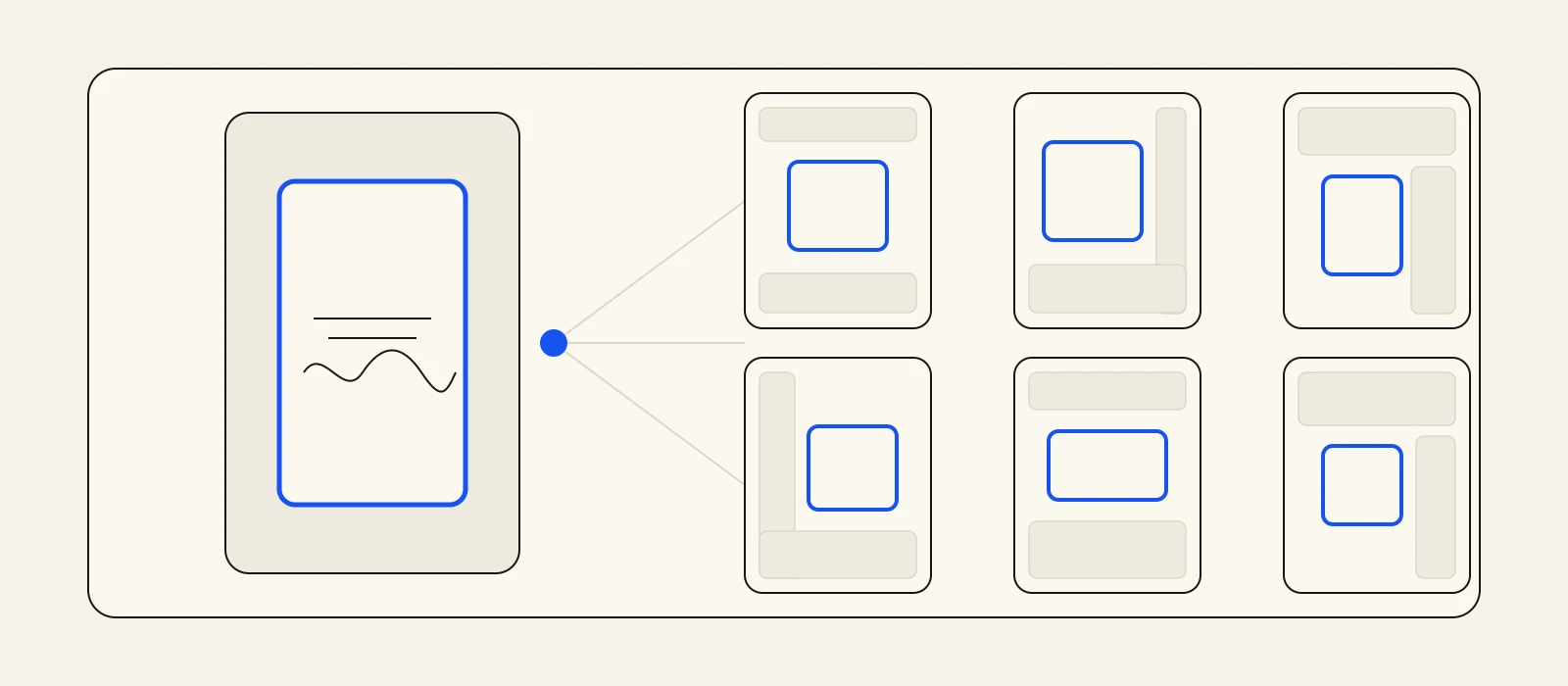
A 9:16 frame is not fully usable space. YouTube says its editor shows where the like button, comments, and video description may appear. TikTok tells creators to leave room for its interface. Because those tools are platform-specific, Artifex analysis does not treat the controls as identical or fixed across contexts.
Artifex analysis therefore recommends a shared centre zone rather than one supposedly permanent pixel template. Keep every essential lyric away from the top and bottom edges, leave breathing room on both sides, and avoid anchoring words beside the right-hand control rail. Background texture and nonessential motion can extend to the edge because losing part of them does not change the meaning.
- Essential: lyric words, song title, artist name, and any necessary disclosure stay near the centre.
- Flexible: texture, particles, shapes, and ambient motion may run behind interface controls.
- Platform check: use YouTube's visual guides and each app's own upload preview before posting.
Know what each platform actually specifies
YouTube Help says a qualifying Short may be square or vertical and up to 3 minutes long. It also states that Shorts uploads have a maximum resolution of 1080p. For a cross-platform master, a vertical 1080p canvas uses that allowance without creating a separate YouTube render.
Instagram's Help Center accepts Reel aspect ratios from 1.91:1 through 9:16. Its current recording guidance allows Reels up to 20 minutes but says those over 3 minutes will not be recommended to new audiences. A 9:16 file under the 3-minute boundary is therefore the clean overlap for this workflow, not a promise about reach.
TikTok for Business tells creators to frame vertical video at 9:16, use 720p or higher, and leave space for the TikTok interface. TikTok's Creative Codes ask for vertical 9:16 footage at 720p or higher, with space left on screen for the TikTok interface. The 1080 by 1920 master clears that resolution floor while preserving the shared 9:16 shape.
Reuse the render, adapt the upload
One master does not mean one blind posting action. Export a clean file without another platform's watermark or interface baked into it. Open that file in each platform, inspect the first and last frame, scrub through every lyric position, and check the cover or preview crop separately. If a word falls under a control, revise the shared layout or make a platform-specific derivative.
Keep captions, titles, tags, covers, and publishing decisions outside the video master. Those fields belong to each upload context. Artifex Studio prepares the asset and social-ready copy, and can post it to your connected YouTube, Instagram, or TikTok when you choose. The artist makes each upload and can see the live preview before committing.
Use one approval checklist
Approve the common file only after the words survive all three previews. Check that the opening frame reads without interface help, every lyric remains legible over the moving background, and no important element depends on the outer edge. Then confirm duration and crop in the current upload flow, because platform documentation and interfaces change.
If all three pass, publish the same clean render manually. If one fails, change only what that destination needs. The reusable asset is the song timing and visual system; the final platform fit is still a delivery decision.
Connect the work
Go deeper before the next release decision.
One song window, fewer rebuilds
Make the master once, then protect the words everywhere.
Bring one finished track to Studio, choose the moment, and build a word-timed 9:16 lyric video you can review and export. You keep the final upload and platform checks in your hands.
Create a vertical lyric videoFrequently asked
Questions, answered.
- What size should one vertical video use for Shorts, Reels, and TikTok?
- Artifex analysis recommends 1080 by 1920 pixels at 9:16. It fits YouTube's stated 1080p maximum for Shorts, exceeds TikTok's 720p guidance, and uses the full vertical shape supported by Instagram Reels. Preview the actual upload on each platform before posting.
- Is there one safe-zone template for all three platforms?
- No. Artifex analysis does not treat any one template as universal: YouTube uses visual guides and TikTok tells creators to reserve space for its interface. Keep essential lyrics central and verify them in each platform's current preview.
- Does Artifex Studio publish the video to social platforms?
- No. Studio starts from your finished song, creates a word-timed lyric video with effects and beat snapping, and lets you export it. You review and upload the file to each platform yourself.
Sources